· Now
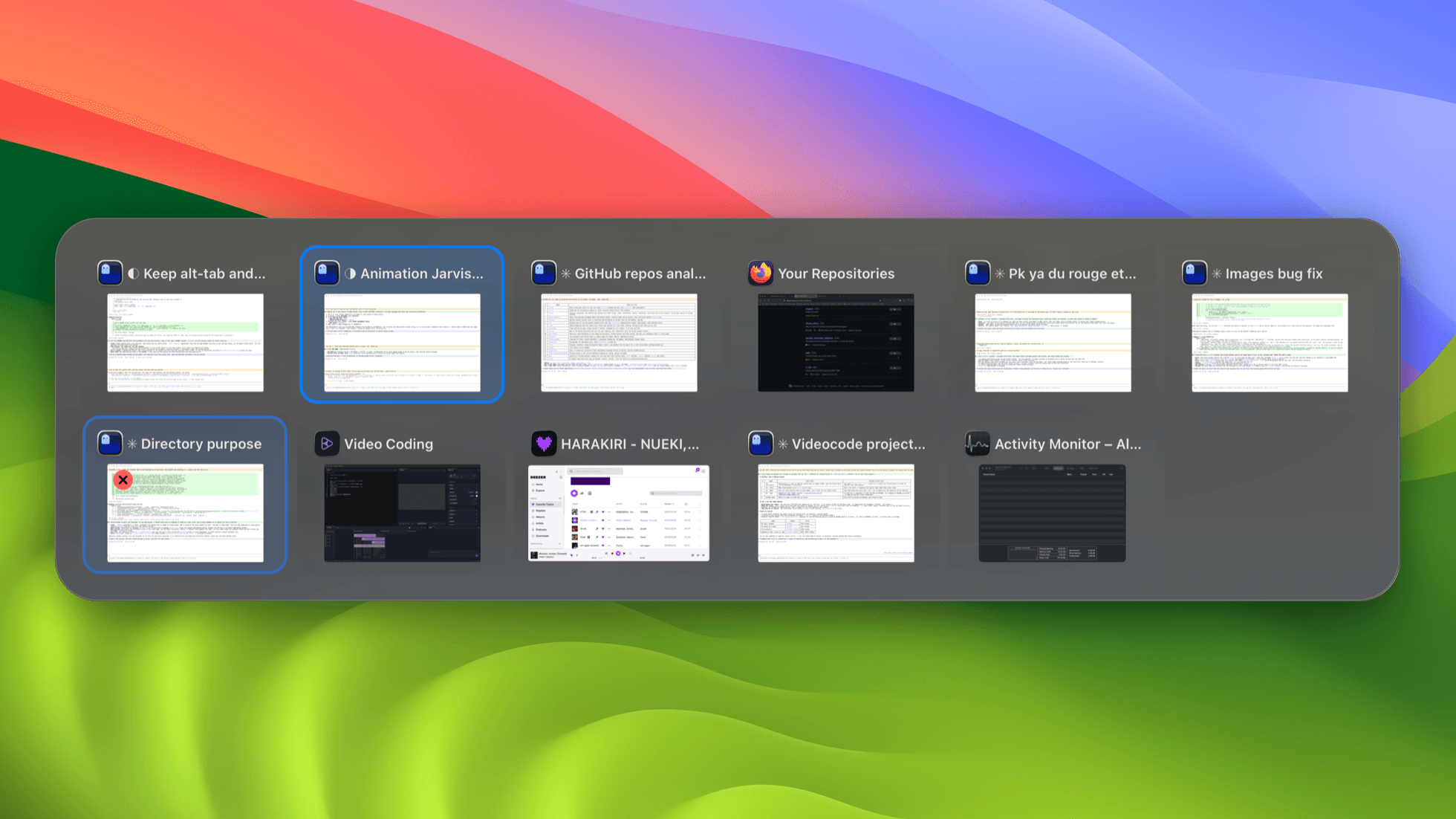
macOS switches applications. Its ⌘Tab lands you on an app and leaves you to find which of its six windows you meant. This takes the same chord and switches windows: hold ⌘, press Tab, and every window on the desktop you are looking at is a tile with its own title and a picture of itself, most recently used first. Let ⌘ go and you are there. Minimized windows and the windows of hidden applications are in the list too. A switch faster than 100 ms draws nothing at all.
- ⌘Tab itself, not a chord beside it — which is the risky part rather than a default. The Dock answers ⌘Tab before any application sees it, so holding it means switching the system's own switcher off, and that setting outlives whatever set it: uninstall carelessly and the machine has no switcher at all. So what is taken is written down before it is taken, handed back on quit and on uninstall, and one flag returns it with no interface at all. The chord is yours to change in the settings.
- Minimized windows looked structurally impossible to list until the reason turned up: leaving the screen rewrites a window's Accessibility subrole to AXDialog. A filter asking for AXStandardWindow cannot see them, nor the windows of a hidden application. AXDialog is accepted only on that evidence, so a dialog genuinely on screen is still refused.
- The list is built CoreGraphics-first. The window server decides which windows exist and in what order — front to back is the most-recently-used order — and Accessibility is asked only about the survivors, for a title and a handle. That keeps the sweep small, and it runs concurrently against a 30 ms deadline, so one wedged application costs 30 ms rather than everybody's turn.
- An empty answer from Accessibility is not an answer. It returns success and no windows for an application plainly holding them, and lists of elements that every later call rejects: six windows on screen and two in the switcher. An application counts as having answered only if a window id could be read out of it; otherwise its windows stay, named by their application and raised at application granularity.
- A screen capture costs 45–50 ms whatever size you ask for, because the price is the round trip and not the pixels. So pictures are taken when a window is focused rather than when the panel opens, and the panel is usually already complete by the time it appears.
- Committing is the modifier coming back up, watched two ways. A local event monitor is the fast path and cannot be the only one — it delivers only while the app is active, activation is asynchronous, and that race is genuinely lost some of the time. A 16 ms poll of the session's flag state backs it, because losing it once means a panel that never goes away.
- The panel is shown 100 ms late on purpose, so a ⌘Tab faster than that switches with nothing drawn at all. It is built once at launch and never closed, only emptied and ordered out: construction costs tens of milliseconds against well under one to show a window that already exists, and the first ⌘Tab must never be the one that pays it.
- No Dock icon, and nothing in the menu bar unless it is asked for. Opening the application is what opens its settings, and the ⇥ icon is in the menu bar for as long as that window is. Told apart by an argument the launch agent passes, because being wrong means a settings window in the face of someone who only logged in.
- The build refuses to ship a log call in the key-handling path: a stray print there is a plaintext keylog, and the launch agent writes stderr to a file. And since swift test runs nothing without Xcode, the tests are a twenty-line harness over the parts that deserve one — the window filter, the switching state machine, the shortcut model.